
 FOM
FOM
What FOM is
FOM is a launchpad on BNB Chain. Anyone can launch a coin with a creator tax or with no tax, paired with BNB or any BEP-20 token. Every trade pays a 1% platform fee, and half of that buys and burns $FOM.
The presale
The $FOM presale is a single whitelist round on BNB Chain, with a hard cap of 200 BNB. Whitelisted wallets subscribe 0.1 to 0.2 BNB each, once.
Eligibility
Paste any address or connect your wallet and press Check. The site tells you if the address is on the whitelist. If it is not, contact us on X to apply.
The whitelist is published before the presale opens. Until then the check tells you it is not out yet.
Claiming $FOM
No token is sent during the presale. Your subscription is recorded on-chain against the wallet that paid, and that allocation cannot be transferred or sold.
When the presale ends and $FOM is live, come back here with the same wallet and press Claim. Your $FOM is sent to that wallet.
Launching a coin
Launching takes four steps on one screen and one transaction you sign. Here is the full walk through.
- The launchpad opens after the $FOM presale.
- Every launch is one transaction from your own wallet. FOM never holds your funds.
- Every trade pays a 1% fee: 50% buyback and burn, 20% ecosystem and dev, 20% holder dividend, 10% foundation.
- Tax coins add a creator tax of 1% to 10% that goes to you.
- 01Open the launchpad
Go to fom.capital/launch. The board shows every coin; the Create panel sits on the right.
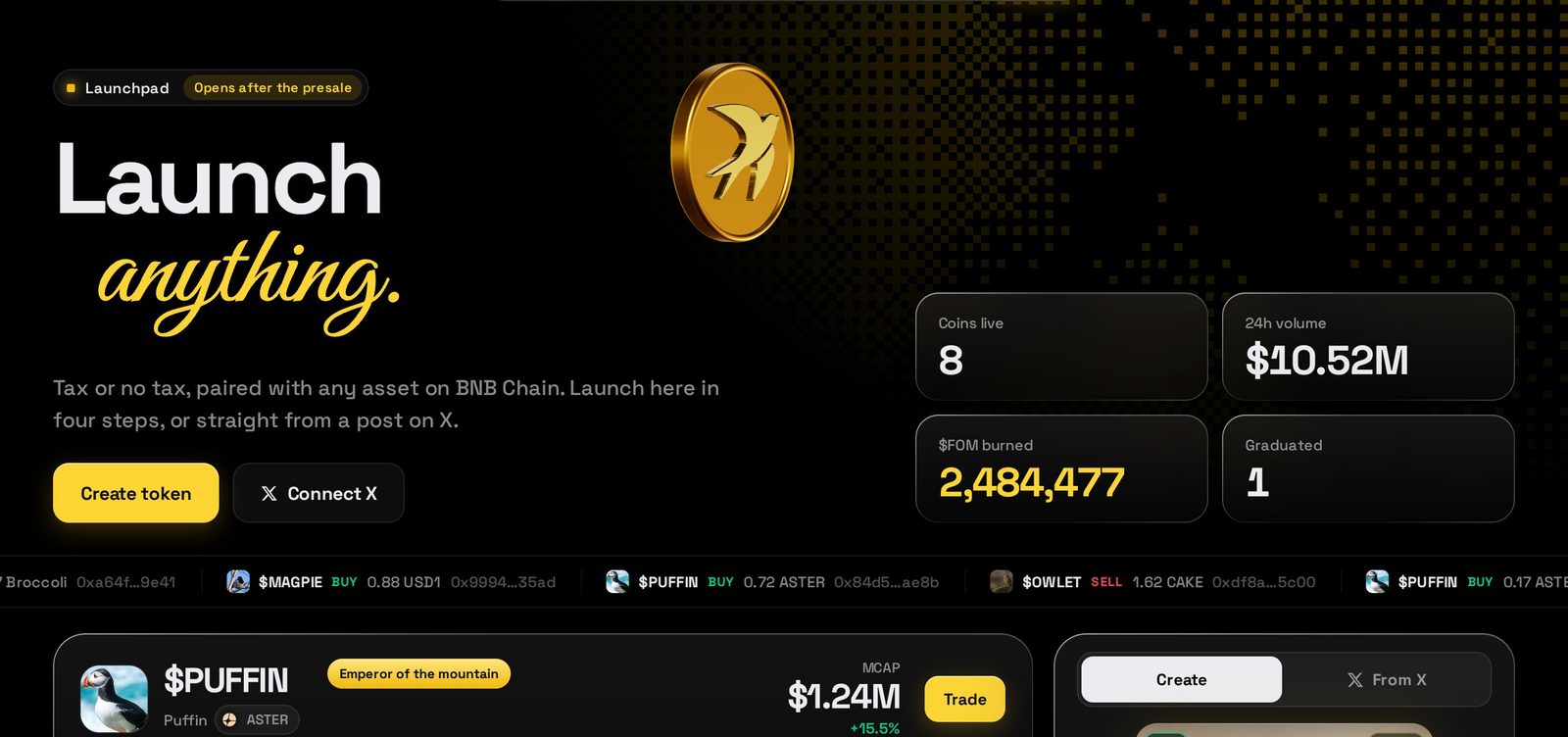
The launchpad: live numbers, the board and Create. - 02Connect your wallet
Press Connect and pick your wallet. We switch it to BNB Chain for you. Connecting shares your address only.
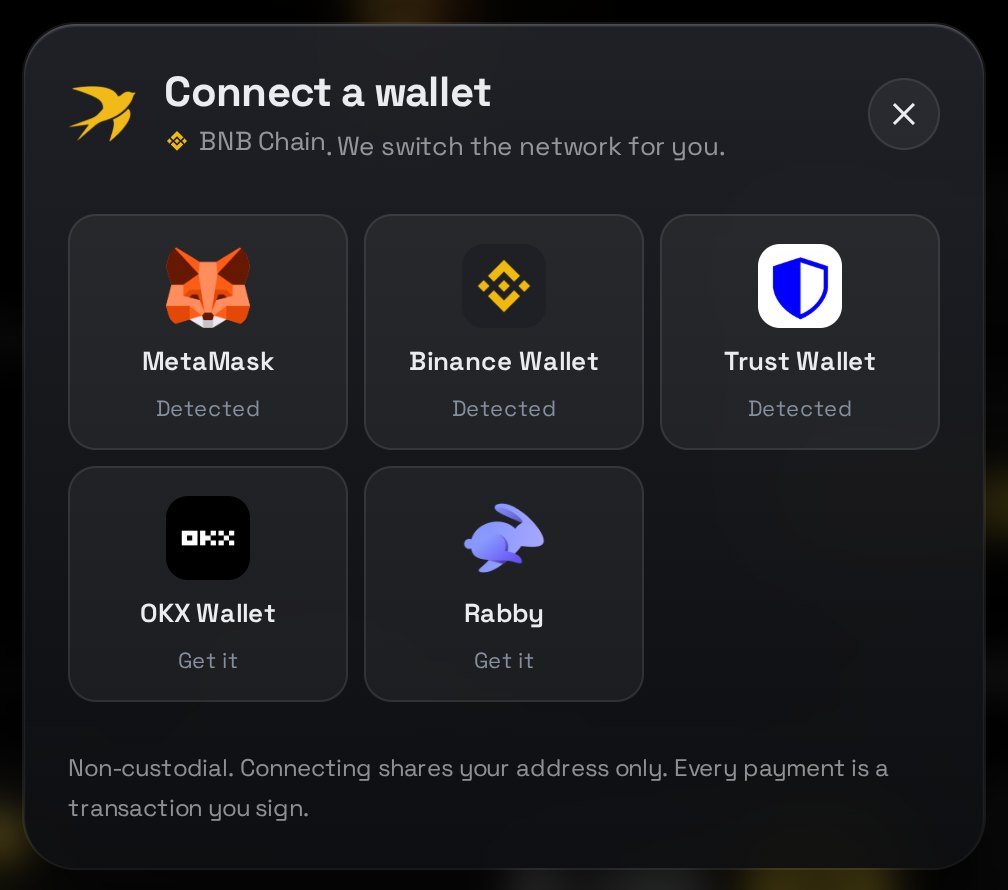
Pick a detected wallet. - 03Name it
Add an image, a name and a ticker. The card on the left is a live preview of how your coin will look on the board.
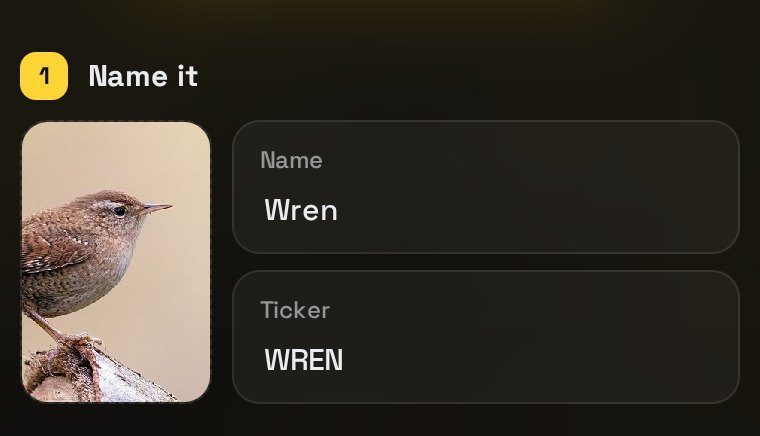
Image, name and ticker. 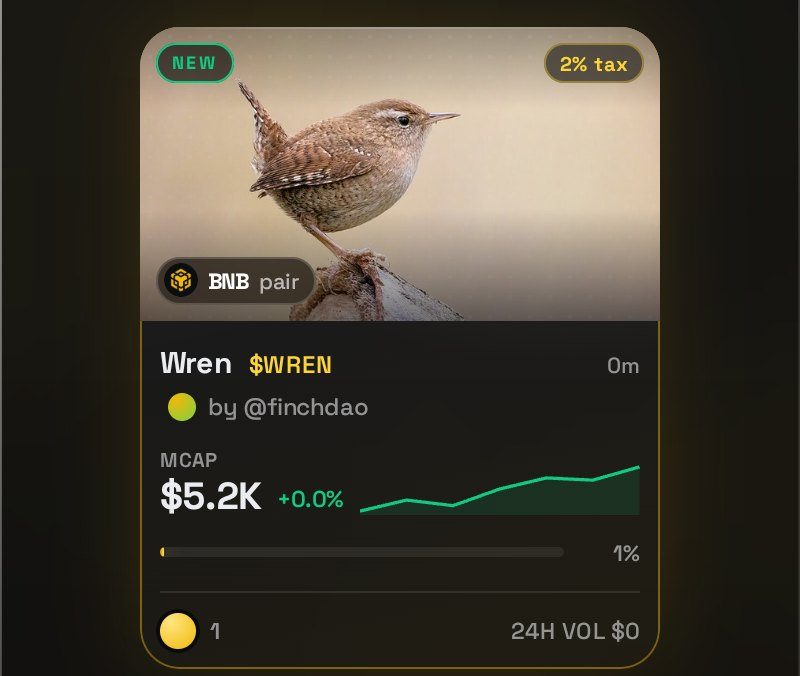
The live preview card. - 04Pair it
Choose what your coin trades against: BNB, USDT, USD1, CAKE, ASTER, Broccoli, ETH, or paste any BEP-20 address.
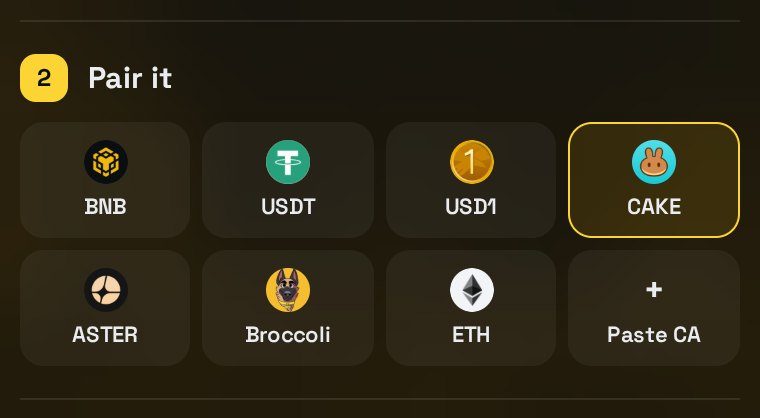
Pick a pair, or Paste CA for any BEP-20. - 05Set the tax
Pick Tax coin and slide from 1% to 10%, or pick No tax. A tax coin pays its creator tax to you on every trade.
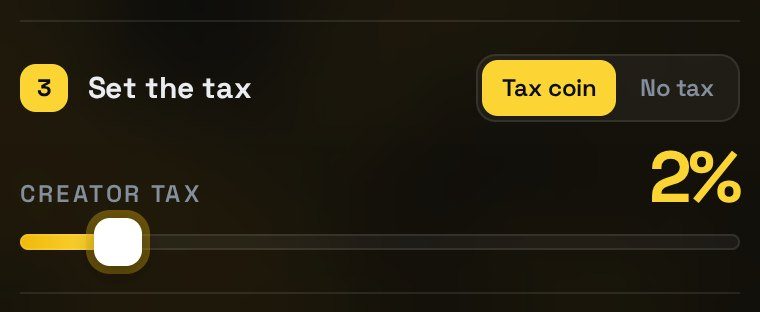
Tax coin or No tax. - 06Launch
Add an optional dev buy, check the fees, then press and hold Hold to launch. Confirm the one transaction in your wallet.
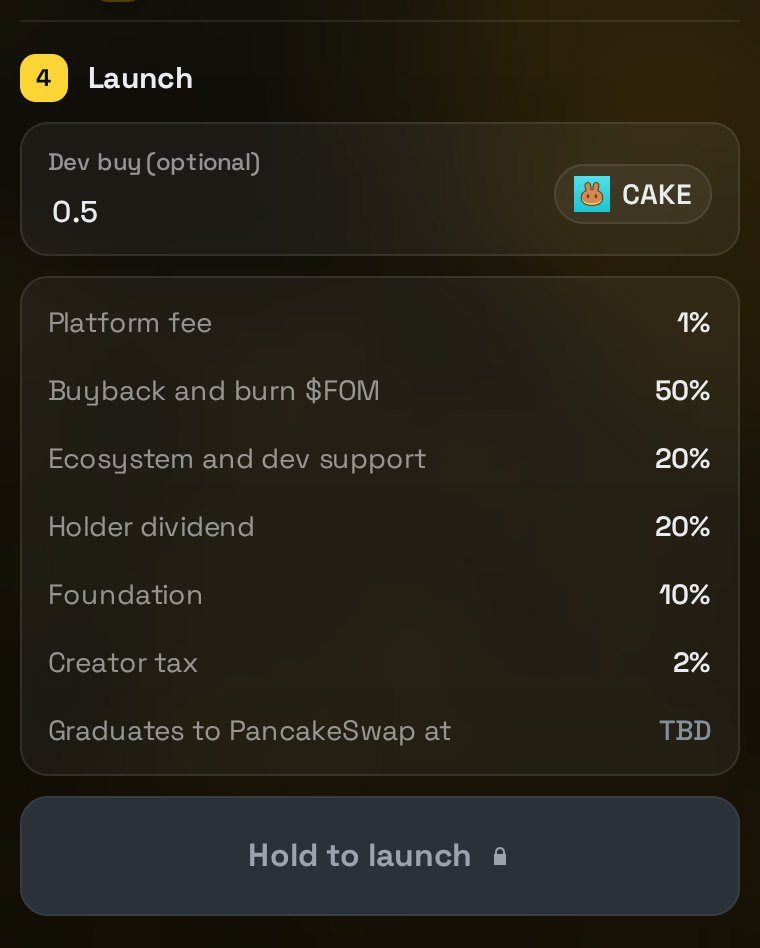
Review the fee split, then hold to launch. - 07Your coin is live
Your coin opens on its own page with the chart, buy and sell, and recent trades. Share the link and it starts on the bonding curve.
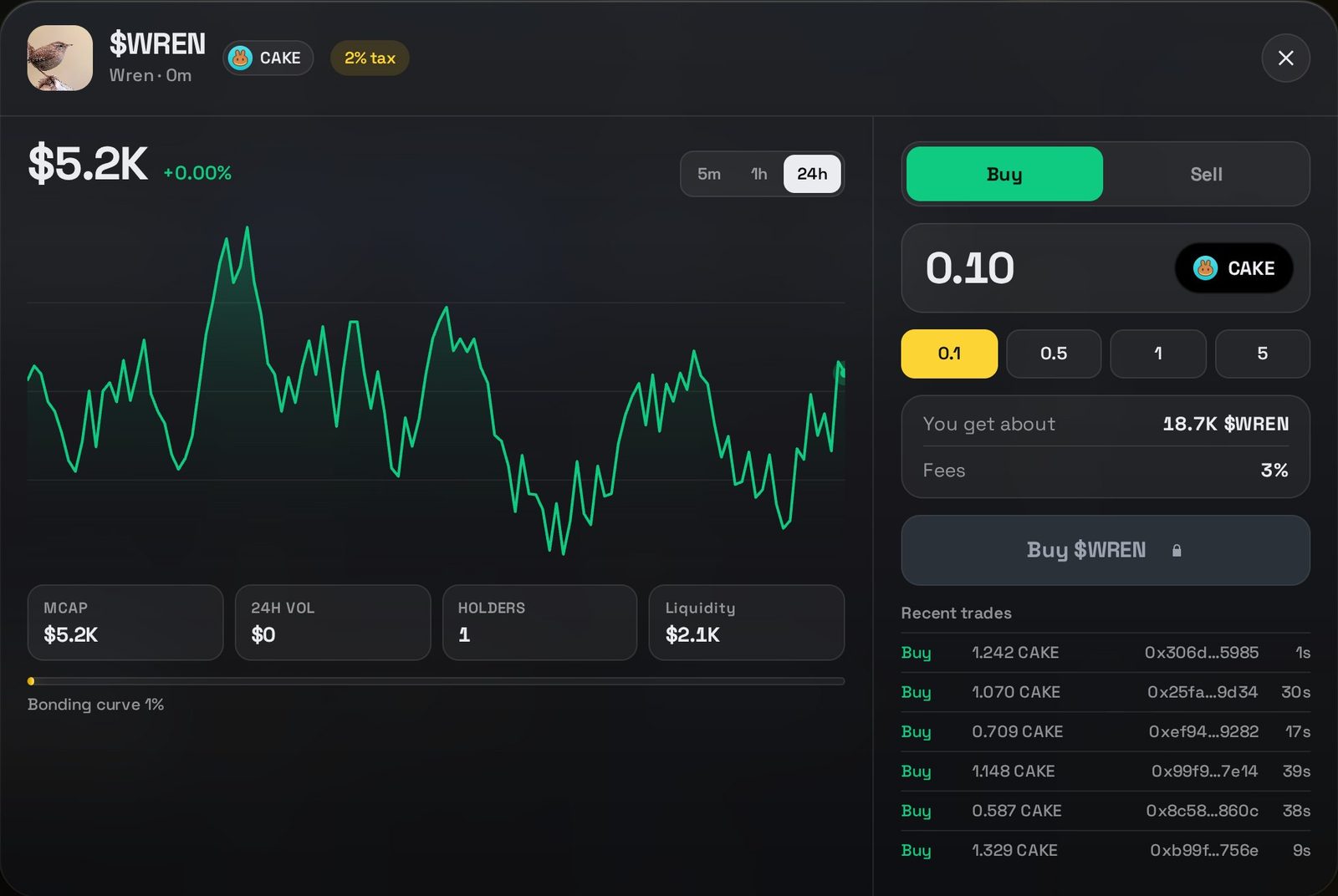
Your coin, live on the board.
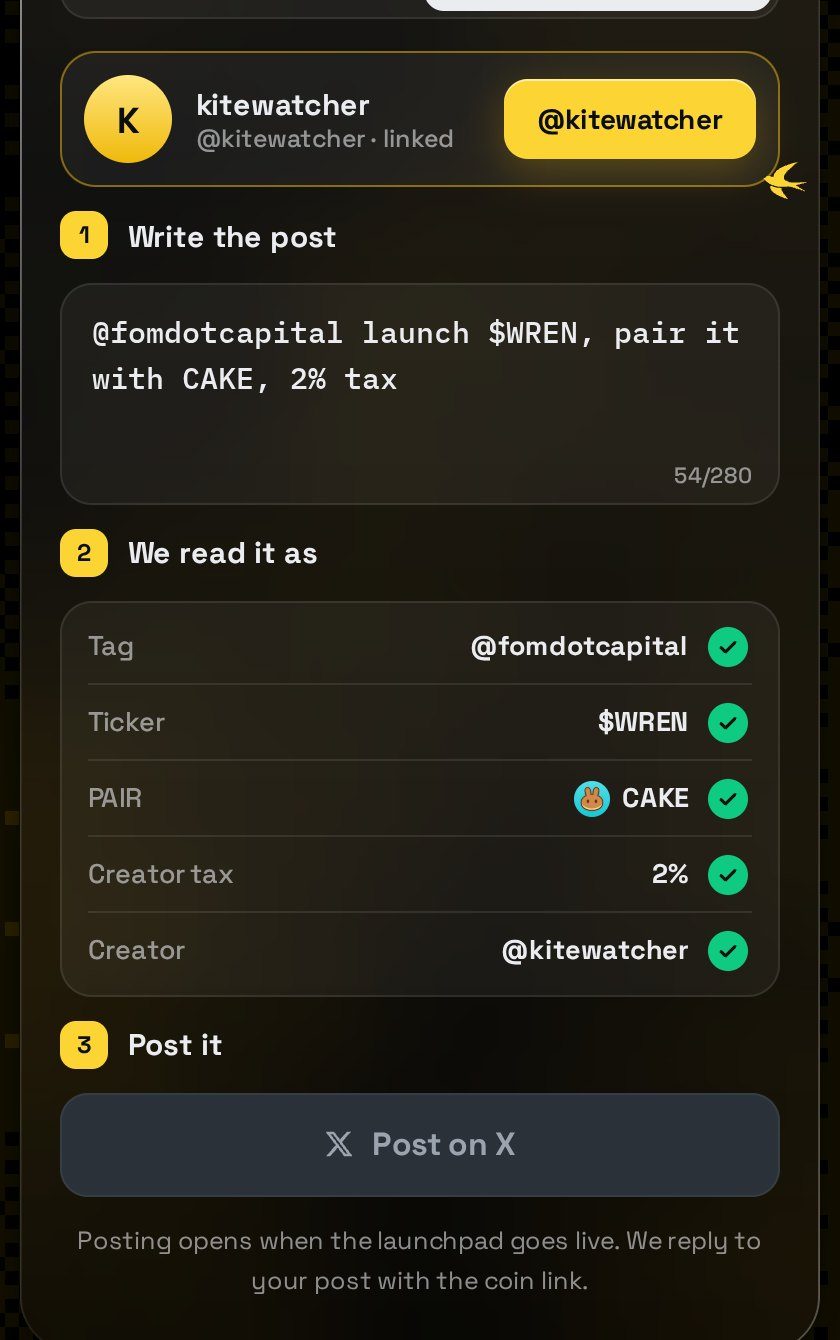
Connect X, write "@fomdotcapital launch $TICKER, pair it with CAKE, 2% tax", check how we read it, and post. We reply with your coin link and your X account is the creator.
Launch from X
Post @fomdotcapital launch $TICKER pair CAKE tax 2% on X. We reply with the live link and your X account is the creator. Needs X API access, TBD.
Pairs
Coins can pair with BNB, USDT, USD1, CAKE, ASTER, Broccoli, ETH, or any BEP-20 address you paste. Prices on the board are shown in USD whatever the pair.
 BNB
BNB USDT
USDT USD1
USD1 CAKE
CAKE ASTER
ASTER Broccoli
 ETH+ BEP-20
Fees and burn
Graduation
A coin starts on a bonding curve. When its market cap reaches the threshold, liquidity moves to PancakeSwap. Threshold: TBD.
PancakeSwapContracts
Published before the presale opens0x414f159F012010f651937DC5b10fA9909F97f87dPublished at launchPublished at launchFor agents
Everything on this page in one plain text file, for AI agents and scripts.
curl https://fom.capital/llms.txtSafety
- $FOM has a fixed supply, minted once at launch. The token has no mint function, so no admin key can ever create more.
- FOM never holds your funds. Every payment is a transaction you sign in your own wallet.
- Only trust the contract addresses listed on Contracts on this site.
- We will never DM you first or ask for a seed phrase.
Questions
When does the presale start?
The date is announced on X first. The countdown on the home page starts as soon as it is set.
How do invite links work?
Once your whitelisted wallet is connected, the presale sheet gives you your own invite link. Anyone who opens it is eligible automatically, and each seat they take is credited to you.
I am not on the whitelist. Can I still join?
Contact us on X at @fomdotcapital to apply for a seat.
How much can I put in?
Whitelisted wallets put in 0.1 to 0.2 BNB, once.
When do I get my $FOM?
After the presale ends and the token is live. Come back with the same wallet and press Claim.
Can I sell or move my allocation before launch?
No. It is recorded against the wallet that paid and cannot be transferred.
Where does the BNB go?
To the presale treasury, a Safe multisig that needs 3 of 4 signers for any payment.
Credits
The sample coin photos are from Wikimedia Commons, used under their licenses.